MiMo Code Integration
Use GPT-5.5, Claude, Gemini, or any model with MiMo Code. Custom provider configuration, full cost tracking.
MiMo Code is an AI-powered coding agent command-line tool developed by Xiaomi. It can understand your code repository, plan changes, safely execute shell commands, edit files, and autonomously manage complex software development tasks in your terminal.
By configuring MiMo Code to route through doteb, you can point it at any model—GPT-5.5, Gemini, Llama, Claude, or 210+ others—while keeping the same API format MiMo Code expects, with full cost tracking in your dashboard.
Prerequisites
- A doteb API key — sign up free (no credit card required)
Setup
Install MiMo Code
If you haven't already, install MiMo Code by running the official installation command in your terminal:
curl -fsSL https://mimo.xiaomi.com/install | bashConfirm the installation by checking the help command:
mimo --helpConfigure mimocode.json
Create or edit your MiMo Code configuration file at ~/.config/mimocode/mimocode.json (on Linux/macOS) or ~/.mimocode/mimocode.json.
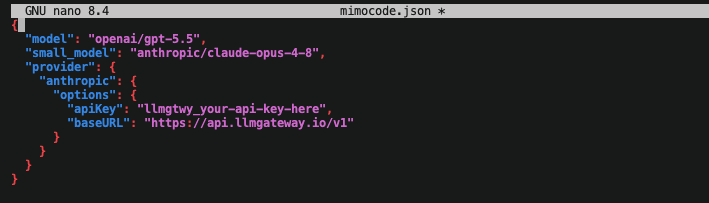
Specify the default models you want to use and route the anthropic provider to your doteb endpoint. Here is an example configuration that sets up Claude Opus 4.8, GPT-5.5, DeepSeek V4 Pro, MiniMax M3, and Qwen3.7 Max:
{
	"model": "anthropic/claude-opus-4-8",
	"small_model": "anthropic/claude-4-5-haiku-latest",
	"provider": {
		"anthropic": {
			"options": {
				"apiKey": "llmgtwy_your_api_key_here",
				"baseURL": "https://api.doteb.com/v1"
			},
			"models": {
				"gpt-5.5": {
					"name": "gpt-5.5"
				},
				"claude-opus-4-8": {
					"name": "claude-opus-4-8"
				},
				"deepseek-v4-pro": {
					"name": "deepseek-v4-pro"
				},
				"minimax-m3": {
					"name": "minimax-m3"
				},
				"qwen3.7-max": {
					"name": "qwen3.7-max"
				}
			}
		}
	}
}
Replace llmgtwy_your_api_key_here with your actual doteb API key from
the dashboard.
Alternatively: Use Environment Variables
If you prefer to configure the provider dynamically, you can export the standard Anthropic environment variables before starting MiMo Code:
export ANTHROPIC_API_KEY=llmgtwy_your_api_key_here
export ANTHROPIC_BASE_URL=https://api.doteb.com/v1
Run MiMo Code
Navigate to your project folder and launch the TUI or run a prompt directly:
mimoOr run it with a message:
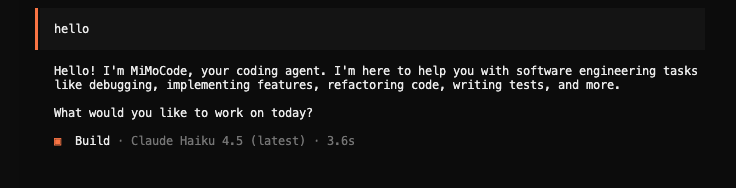
mimo run "Your coding prompt here"All requests will now be routed through doteb, allowing you to use advanced models for local autonomous coding while showing real-time usage and cost statistics on your doteb dashboard.
Configuration Details
The Provider Options
To point MiMo Code to doteb, you define the baseURL and apiKey inside the options of the anthropic provider block.
"provider": {
	"anthropic": {
		"options": {
			"apiKey": "llmgtwy_your_api_key_here",
			"baseURL": "https://api.doteb.com/v1"
		}
	}
}
Defining Custom Models
Because MiMo Code CLI restricts requests to built-in models by default, any custom model you wish to target (such as gpt-5.5 or deepseek-v4-pro) must be registered in the models dictionary within the anthropic provider config:
"models": {
	"gpt-5.5": {
		"name": "gpt-5.5"
	}
}
Once registered, you can set them as your default model or small model using the anthropic/ prefix (e.g. "model": "anthropic/gpt-5.5").
Why Use doteb with MiMo Code
- 210+ models — Access GPT-5.5, Gemini, Llama, DeepSeek, and more in a single CLI configuration.
- Unified cost tracking — Get a detailed breakdown of costs per prompt and session in your dashboard.
- Response caching — Automatically cache repeated requests (such as parsing or building commands) to save API costs.
- Automatic fallback — Keep coding even if a provider encounters temporary downtime.
- Volume discounts — Access selected models with up to 90% savings compared to standard pricing.
View all available models on the models page.
Need help? Email dotebceo@gmail.com for support and troubleshooting assistance.
How is this guide?
Last updated on